
SuperVPN - Fast VPN Proxy
SuperSoftTechTools
4.646.36K Reviews
- Version
- 3.1.4
- Installs
- 100.00M
- Age Rating
- Everyone
Screenshots
Our Review of SuperVPN - Fast VPN Proxy
 Analysis by Appyee
I would treat SuperVPN as a simple on-demand tool rather than a set-and-forget privacy solution. Its appeal is the short path from opening the app to trying a VPN connection, which makes it less intimidating if you have never used one. The useful question is not simply whether it connects, but whether it suits what you plan to do while connected and what level of privacy assurance you need.
Who is likely to find it useful
I can see it working for someone who occasionally wants to try a VPN while browsing on a phone, or who wants a straightforward way to see whether a connection helps with access to a site or app. The app is free to download, is rated for Everyone, and is developed by SuperSoftTech. Its large audience—over 100 million installs, around 5.2 million ratings and a 4.6 average—suggests that many people have tried it, but popularity alone is not proof that a VPN meets your personal security needs.
For a first-time user, that distinction matters. A VPN changes how some network traffic is routed; it does not make every online action anonymous, protect you from every scam, or replace sensible account and device security. I would still use unique passwords, keep apps updated, and avoid entering sensitive details on sites I cannot trust. Think of the connection as one layer, not a guarantee.
A low-pressure first test
Before relying on it for anything important, I would try one ordinary task that is easy to repeat: open a familiar news page or check a service you already use, first without the VPN and then after connecting. Notice whether the page loads, whether sign-in still works, and whether the app remains connected while you move between Wi-Fi and mobile data. This gives you a practical baseline without requiring technical tools or assumptions about what the service is doing behind the scenes.
If your first attempt does not connect, I would not immediately conclude that the app is unusable. A brief retry or switching between Wi-Fi and mobile data can help identify whether the problem is tied to the current network. If the connection repeatedly fails, avoid using it for a task that needs a dependable connection; a convenient one-tap setup is only useful when it works consistently for your situation.
Choose the right job for a VPN
A realistic use might be checking a public website while waiting in a café, then disconnecting when you are finished. That is a more sensible trial than leaving a new VPN running through an entire day and assuming it must be beneficial. Some services may react differently when they detect a VPN, so if a banking, work, streaming, or shopping app stops behaving normally, try the task without the VPN rather than repeatedly fighting the block.
For people who need stable access to a particular country, a dependable work connection, or detailed control over routing, a more configurable VPN may be a better fit. Those users should compare the available server choices, connection controls, privacy terms, and support before choosing. SuperVPN is aimed at ease of access; I would not mistake that simplicity for evidence that it offers every advanced control an expert user might want.
There is also a practical battery and connectivity trade-off with any VPN that stays active: traffic must pass through an additional connection, and some networks or apps may behave differently. I would turn it on for the task that calls for it and check that it has not interrupted something important, such as a video call or a download. That habit is more useful than assuming a VPN should remain on at all times.
Hey there! So, I recently got my hands on SuperVPN - Fast VPN Proxy, and let me tell you, it’s quite an interesting app. If you're like me and value your online privacy, then this might just be the app you’ve been looking for. Let me walk you through my experience with it.
First Impressions
When I first opened SuperVPN - Fast VPN Proxy, I was greeted by a clean and straightforward interface. It's not one of those apps that overwhelm you with a million options right out of the gate. Instead, it feels inviting and easy to navigate, which is a big plus for those who aren't super tech-savvy.
Setting It Up
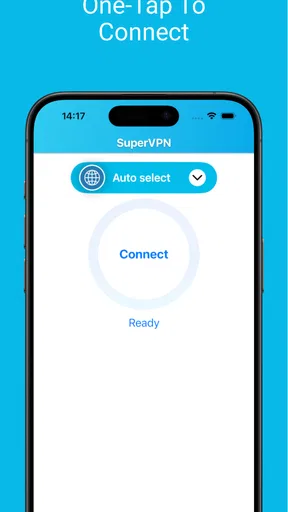
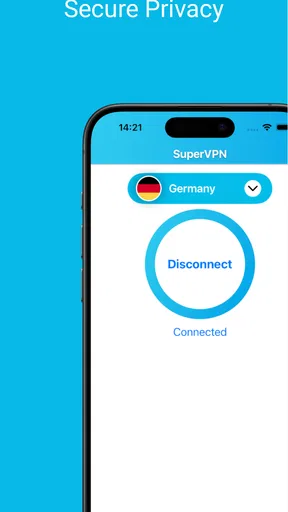
Setting up the app was a breeze. I just downloaded it from the app store, opened it, and voila! No need to sign up or create an account, which was a refreshing change. You just tap a button, and you're connected. It’s as simple as that. The app does all the heavy lifting for you, which is great if you’re in a hurry or just want to get things done without fuss.
That simplicity also makes it easier to tell whether the app is right for you without committing to a complicated setup. I would first try it on the network where I expect to use it most, then repeat the same quick check elsewhere. A connection that feels fine on home Wi-Fi may be less convenient on a busy public network, so it is worth testing before you depend on it during travel or a time-sensitive task.
Performance and Speed
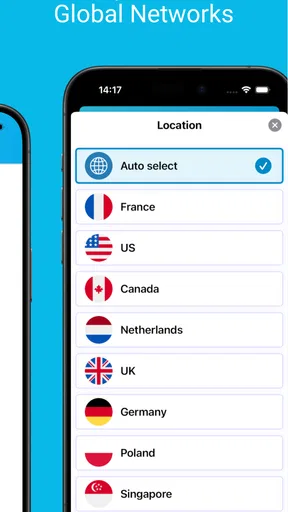
Now, onto the performance. I tested the VPN connection on both Wi-Fi and mobile data, and I have to say, it performed admirably. The connection speed was surprisingly fast. I could stream videos without any buffering, and surfing the web felt just as zippy as when I’m not using a VPN. It’s called "Fast VPN Proxy" for a reason, I guess! I did a little digging and found that they have servers all around the globe, which might explain the smooth performance.
In practice, I would judge speed by the task rather than by a single impression. Loading a text-heavy page, watching a video, and joining a live call put different demands on a connection. If a page works but a call becomes unstable, that does not necessarily mean the app is broken; it may simply mean this VPN route is not the best choice for real-time communication on that network. For anything where interruptions matter, I would test beforehand and keep a non-VPN fallback in mind.
The same caution applies to location-based access. A VPN can sometimes change how a site sees your network location, but that does not guarantee that a particular platform will accept the connection or show the content you expect. Services can impose their own checks. I would use the app to test ordinary browsing access, not plan an important viewing session around an assumption that every regional restriction will be bypassed.
Security Features
Of course, the primary reason for using a VPN is security. SuperVPN - Fast VPN Proxy uses strong encryption to keep your data safe from prying eyes. While I can't personally verify the technical prowess of their encryption, I've read that it’s top-notch. It’s reassuring to know that your browsing is private and secure, especially when using public Wi-Fi.
For me, the sensible next step is to read the app’s privacy information before routing sensitive activity through it. A VPN provider becomes part of the path your traffic takes, so trust and clear explanations matter as much as a quick connection. I would avoid treating any VPN—this one included—as a substitute for checking a site’s security, using trusted apps, or being careful with personal information.
If your priority is a detailed privacy assessment, compare providers on the clarity of their policies and the controls they offer, rather than relying on a reassuring label or a high user rating. That extra research is worthwhile for work accounts, confidential communications, or frequent use. For occasional, low-stakes browsing, a simple app may feel convenient; for sensitive use, I would set a higher bar before deciding.
Usability and Extras
One thing I enjoyed about this app is that it doesn’t bombard you with ads or try to upsell you constantly. While there are premium options available for those who want more features, the free version is quite generous. You get unlimited bandwidth, which is rare for free VPN services. However, bear in mind that the free version might have some limitations on server choices.
The app is free, though it offers in-app purchases ranging from $2.99 to $59.99 per item. I would not pay simply because a prompt appears: first decide what limitation you have actually run into, then check whether an upgrade addresses that specific need. If the free experience already handles your occasional browsing, paying may add little value; if you need more choice, compare the available options and terms carefully before spending.
Its established history can also be useful context for a cautious newcomer: SuperVPN was released on March 18, 2014, and the current version is 3.1.4, with Android 6.0 as the minimum operating-system requirement. I would still check that your device and app are up to date, because compatibility and a long presence in the store do not by themselves settle questions about privacy or suitability.
One small habit I recommend is making a quick note of what you were trying to do when a connection felt slow or failed. Was it one particular site, the current network, or a switch from Wi-Fi to mobile data? That simple comparison helps you avoid blaming the VPN for a website issue—or assuming a temporary success means every task will work equally well.
What Could Be Improved
While I’m generally impressed with the app, there are a couple of areas where it could improve. Sometimes, the connection takes a few tries to establish, especially during peak hours. It’s not a deal-breaker, but something to keep in mind. Also, more transparency about their privacy policy would be appreciated, just to give users that extra peace of mind.
That occasional setup friction is exactly why I would not start a VPN connection at the last second before joining a meeting, checking in for travel, or opening a time-sensitive service. Connect a little earlier and make sure the task works. If it does not, disconnect and use your normal connection where appropriate instead of losing time troubleshooting under pressure.
Another point for new users is that a connected indicator is not the same as proof that a particular app is using the route you intended or that a site will behave as expected. After connecting, revisit the actual service you care about. If it still blocks access or asks you to verify your location, the VPN has not necessarily failed; the service may simply have its own rules.
Final Thoughts
All in all, SuperVPN - Fast VPN Proxy is a solid choice if you're looking for a straightforward, fast, and reliable VPN service. It’s perfect for anyone who wants to secure their online activities without dealing with complicated setups. Whether you’re streaming content, browsing, or just want to keep your data private, this app gets the job done efficiently. I’d recommend giving it a try and seeing how it fits your needs.
Remember, always stay safe online and keep your data protected!
Verdict
Strengths of SuperVPN - Fast VPN Proxy
- Fast connection speeds enhance browsing.
- Simple interface for easy navigation.
- Bypasses geo-restrictions effectively.
- Unlimited bandwidth with no data caps.
- Supports multiple servers worldwide.
Limitations of SuperVPN - Fast VPN Proxy
- Contains intrusive ads interrupting use.
- Limited features in the free version.
- Privacy policy lacks transparency.
- Occasional connection drops reported.
- May not work with streaming services.
Similar Picks in This Category
View All
Google LLC4.0

Gboard - the Google Keyboard
Google LLC4.5

Google Play services
Google LLC4.3

Google Play Store
Google LLC4.9

Files by Google
Google LLC4.5

SHAREit: Transfer, Share Files
Smart Media4U Technology Pte.Ltd.4.3
Frequently Asked Questions
What is SuperVPN - Fast VPN Proxy, and how does it work?
SuperVPN - Fast VPN Proxy is a virtual private network (VPN) application designed to protect your online privacy and security. By encrypting your internet connection, it prevents third parties from tracking your online activities. It allows users to access restricted content by masking their IP address, making it appear as if they are browsing from a different location.
Is SuperVPN - Fast VPN Proxy free to use, and are there any limitations?
SuperVPN offers a free version with basic features, but it may come with limitations such as data usage caps and fewer server options. For enhanced features, users can opt for a premium subscription, which typically includes unlimited bandwidth, faster connection speeds, and access to a wider range of servers.
How secure is SuperVPN - Fast VPN Proxy in protecting my data?
SuperVPN uses encryption protocols to safeguard your data while browsing. However, users should be aware that free VPNs may not offer the same level of security as paid services. It's crucial to review the app’s privacy policy to understand how your data is managed and to ensure that your online activities remain private.
Can SuperVPN - Fast VPN Proxy be used on multiple devices?
Yes, SuperVPN can generally be installed on multiple devices, including smartphones and tablets, both Android and iOS. However, the number of devices that can be simultaneously connected may depend on the subscription plan you choose. Check the app’s terms to confirm device compatibility and connection limits.
Does SuperVPN - Fast VPN Proxy affect internet speed?
Using any VPN, including SuperVPN, may result in a slight decrease in internet speed due to the encryption process and the rerouting of traffic through remote servers. Premium users often experience faster speeds compared to those using the free version. It's advisable to test different servers to find the best performance.
